
The Official & uptodate JetBackup Guides can of course be found online here
From the moment you create your account with us, your website(s) (Files + Databases) aswell as Emails are automatically enabled for backup and safe keeping off-server. The guide below explains how to restore your Files, Databases, Emails & your Full Account Backups.
In order to restore a specific backup item, click the Backup type that you would like to restore in the cPanel-JetBackup menu

For example, if you'd like to restore a full account backup, select "Full Backups".
This option will erase ALL files (Emails, Websites & Databases, Cron Jobs DNS Zones) that are current and replace them the restore date version. This may come in handy if you can't remember how EVERYTHING got deleted one starry night?...
Choose your desired backup restore point and shoot for the restore button.
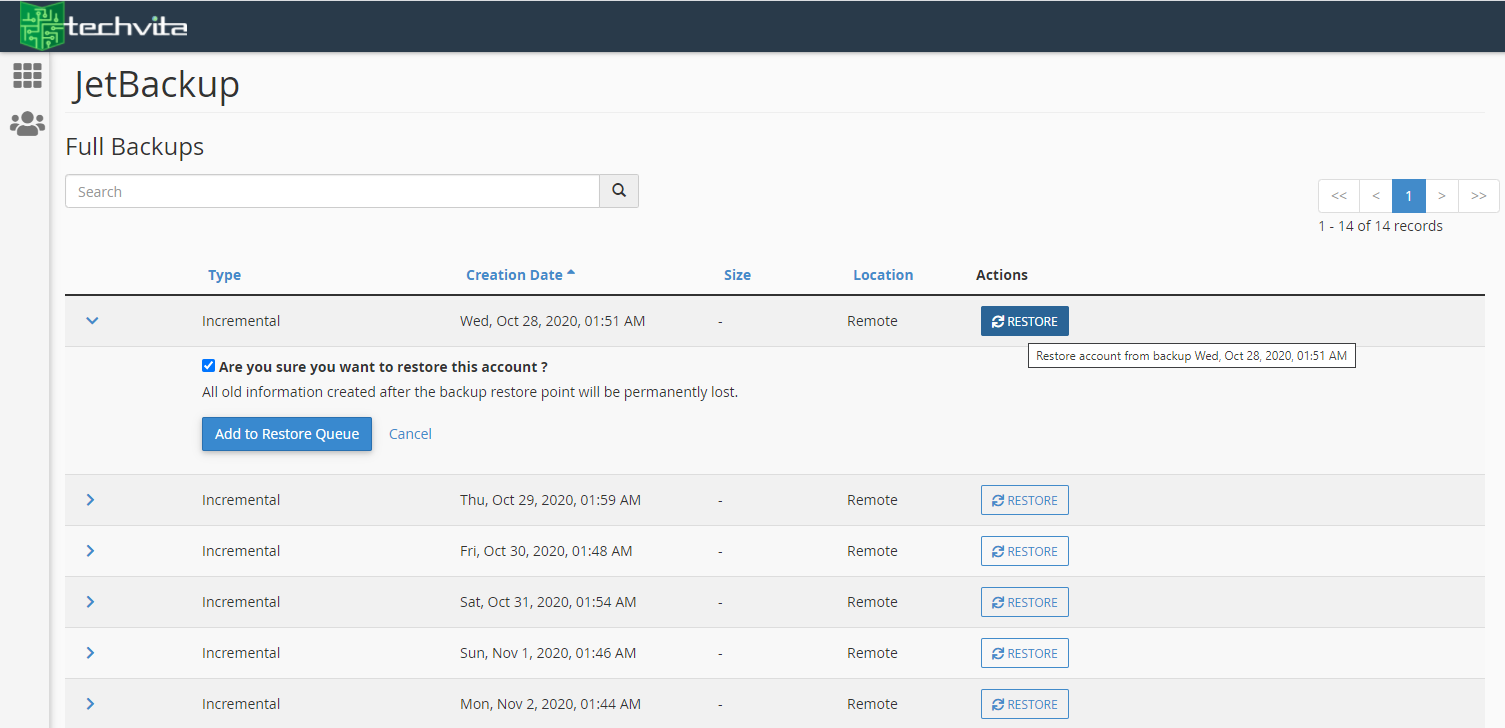
You will have to approve the Restore by ticking the 'Are you sure...' checkbox and tapping on 'Add to Restore Queue' after. You should then see a message that your restore has been added to the Queue.
Restoring Files
If you're goal is to restore just one fie or perhaps the entire 'public_html' folder contents (this is where your primary website files reside) then you can do so by tapping on the "File Backups" menu item from your cPanel dashboard view, selecting the date of the backup version you require and tap "File Manager" beside it

Select the file/folder you require to restore from the browser window and hit the "Restore Selected" button at the bottom. If you need to, you can view the 'hidden' file types by checking the checkbox towards the top of the screen identified
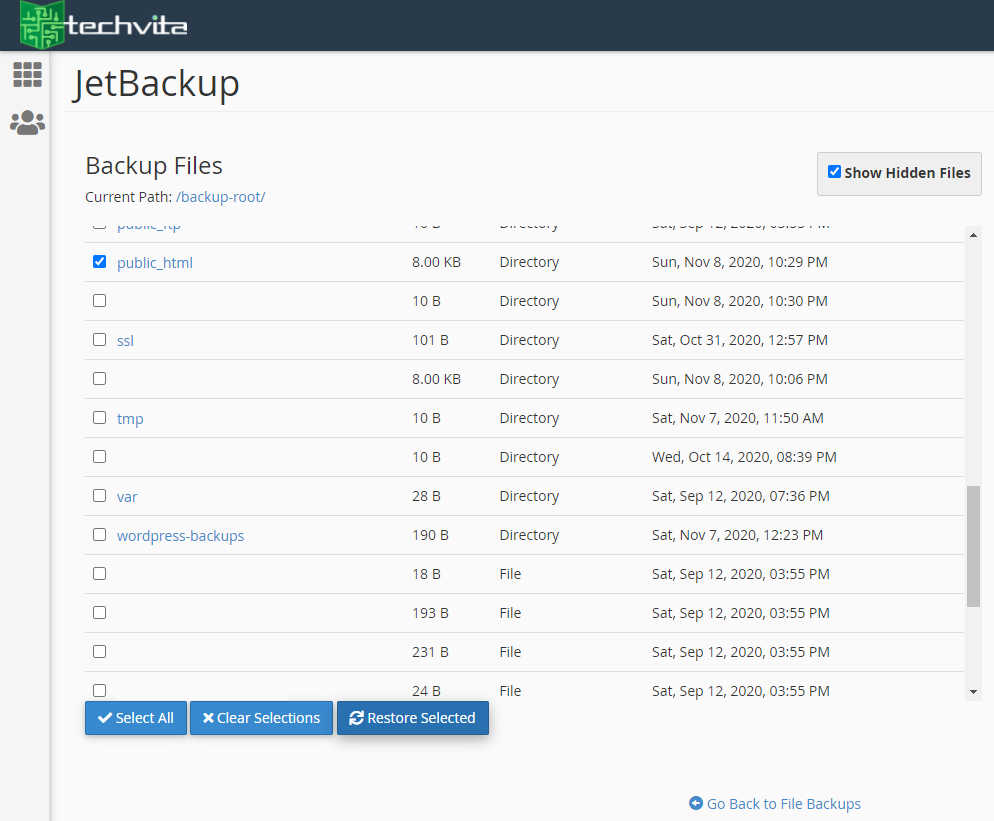
Again, you will now need to approve the restore to add it to the Restore Queue.
Restoring Email Accounts
Same as we've been doing before, select the desired restore date and the email account you're trying to restore. Then approve the restore by tapping on the "Add to Restore Queue"